OLED Burn-In Prevention Guide
OLED displays produce excellent contrast, deep blacks, and fast pixel response, but they also require more careful long-term use than many LCD panels. This guide explains what burn-in actually is, how to reduce the risk, and how to check a screen safely without turning a minor concern into a bigger problem.
Retention vs Burn-In
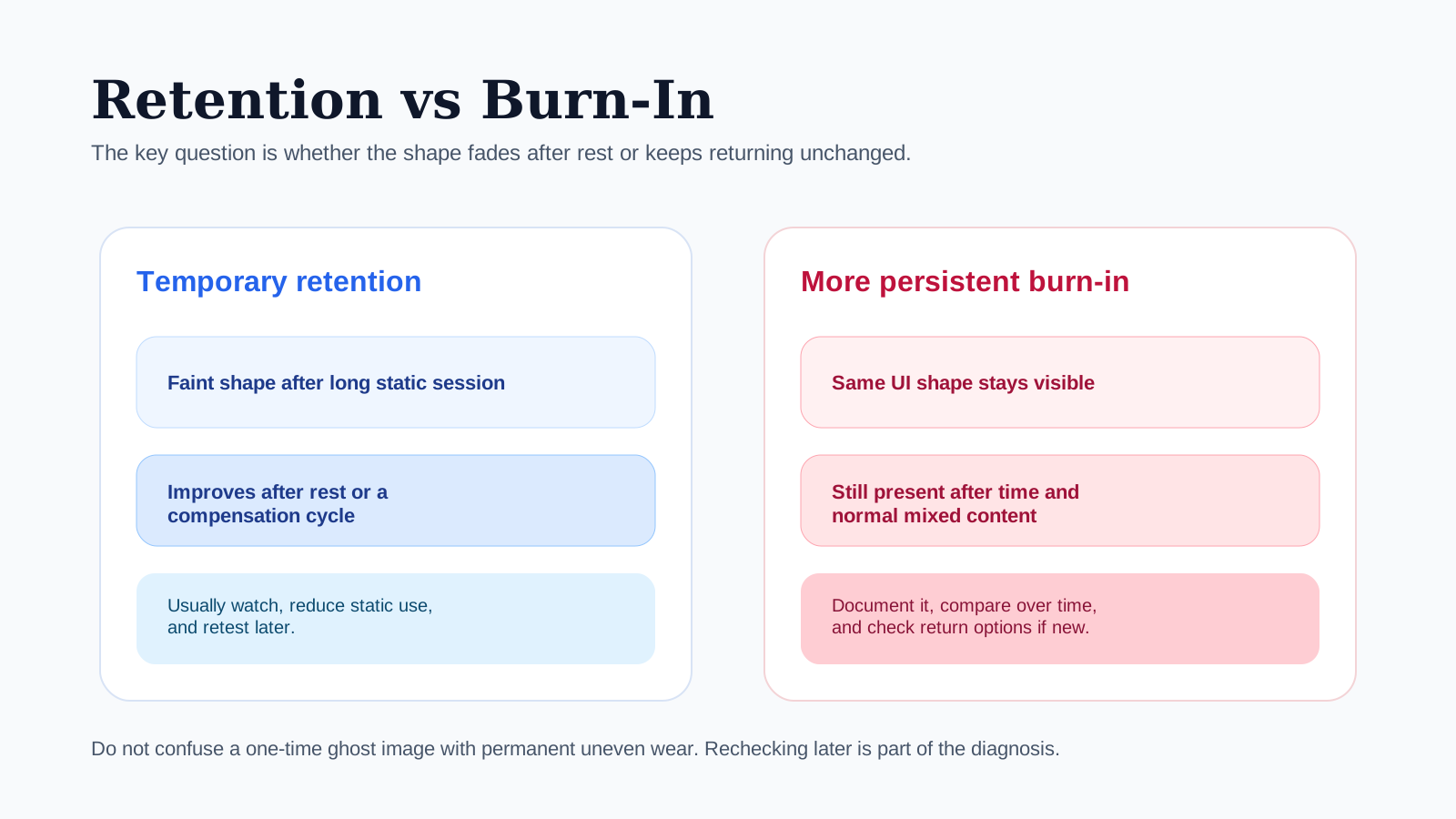
Temporary retention
A faint shape after long static use that improves after rest or a compensation cycle.
More persistent burn-in
The same UI-shaped area keeps returning and stays visible across repeated checks.
Quick Answer
The best practical OLED burn-in strategy is simple:
- Avoid leaving bright static elements on the screen for long periods.
- Use auto-hide UI where possible.
- Keep brightness reasonable for the task instead of maxing it out all day.
- Let built-in pixel refresh or compensation routines run normally.
- If you want to check the panel, do short tests with Gray Screen, White Screen, and Black Screen rather than leaving one bright page open for a long time.
That approach reduces risk without turning normal ownership into constant anxiety.
Burn-In Vs Image Retention
People often mix up two different behaviors.
Temporary Image Retention
Retention is a short-term ghost image that may appear after static content has been on-screen for a while. It can fade after time, screen changes, or a compensation cycle.
Permanent Burn-In
Burn-in is long-term uneven wear. The affected area has aged differently from the surrounding pixels, so a shape, logo, bar, or interface element remains visible more persistently.
The practical difference is this: retention may improve; burn-in usually does not reverse in a meaningful way.
What Usually Creates Burn-In Risk
Risk rises when the same bright elements stay on-screen for long sessions, especially at high brightness. Common examples include:
- news channel logos
- game HUDs that never move
- browser tabs or taskbars displayed all day
- always-on dashboards
- phones used with the same app layout for long periods
- digital signage or kiosk-like use
The problem is not that static content exists. The problem is repeated, long-duration, high-brightness repetition in the same screen zones.
A Sensible Prevention Strategy
You do not need extreme behavior to lower risk. These habits are usually enough:
- reduce brightness when full output is unnecessary
- use dark mode if it suits your workflow
- hide static UI bars when possible
- vary fullscreen and windowed content instead of leaving the same layout fixed all day
- use screen sleep timers instead of leaving the display idle
- let the device run its own maintenance cycles
For phones, tablets, and laptops, the biggest win is often simply avoiding static maximum-brightness sessions for longer than necessary.
Which Settings Matter Most
Some settings have far more impact than others.
Brightness
Higher brightness increases stress on the panel over time. That does not mean you should never use it. It means you should match it to the environment rather than leaving it fully maxed by default.
Static UI
Persistent bars, logos, and HUDs matter more than occasional bright content. A moving bright scene is usually less risky than a fixed bright bar in the same place every day.
Screen Timeout
Automatic sleep is one of the easiest prevention tools because it stops accidental hours-long idle display time.
Built-In Panel Care
Many OLED devices run automatic compensation or refresh routines. Let them finish normally. Interrupting them repeatedly is not helpful.
How To Check An OLED Safely
The goal is to inspect the panel without creating unnecessary stress.
1. Keep The Session Short
Use short checks rather than leaving a bright fullscreen page open for a long time. A practical inspection normally takes minutes, not hours.
2. Start With Gray
Open Gray Screen first. Gray often reveals subtle retention or uneven wear better than full white.
3. Compare With White
Open White Screen to check whether the same region remains visible as a stain, band, or shadow.
4. Finish With Black
Open Black Screen to judge whether a dark-scene problem is actually visible in real use.
5. Recheck Later
If you are unsure whether you saw temporary retention, use the device normally, let it rest, then recheck later. A shape that fades is different from one that remains unchanged.
Low-Stress OLED Check
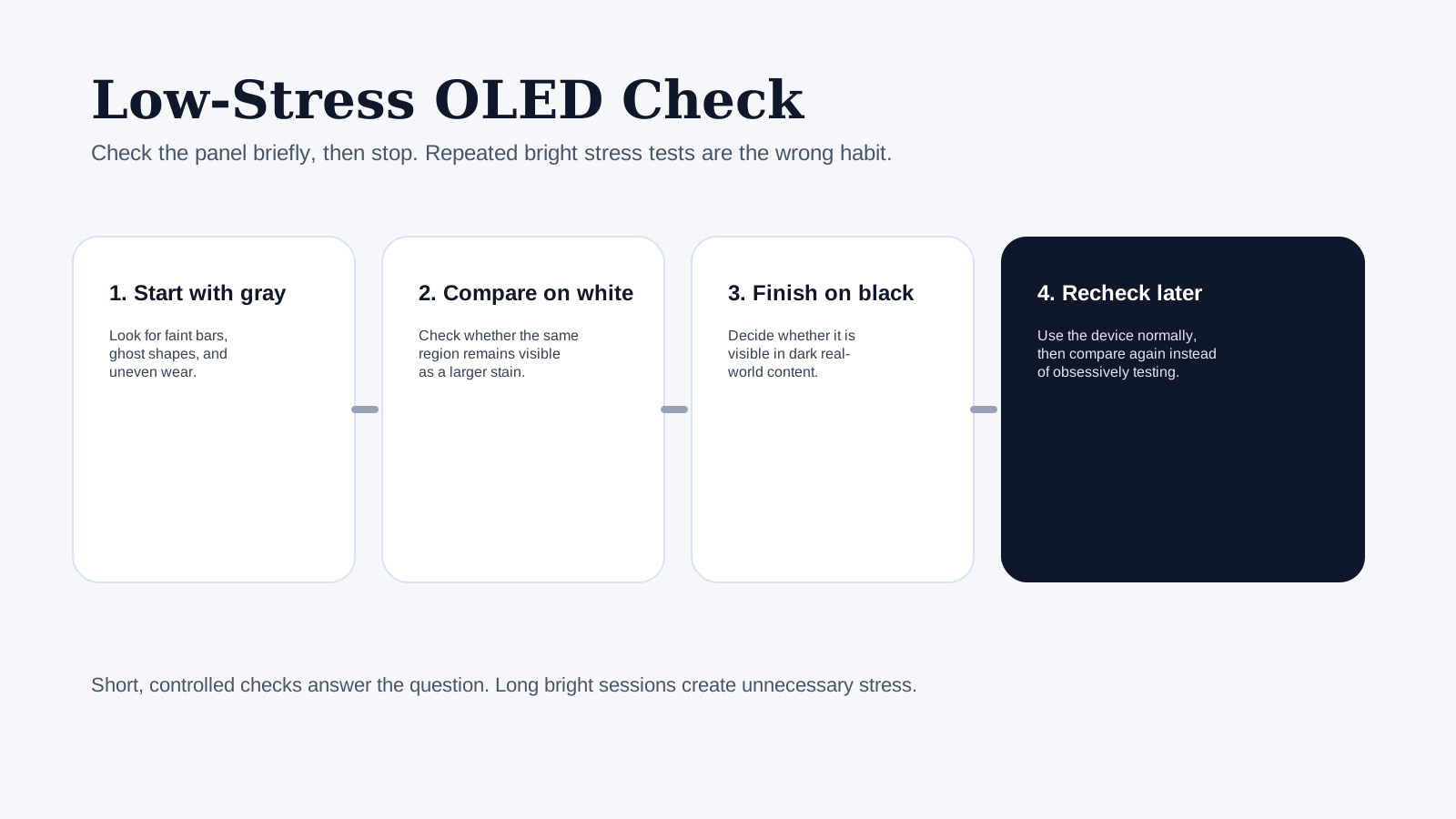
1. Start with gray
Look for faint bars, ghost shapes, and uneven wear.
2. Compare on white
Check whether the same region stays visible as a larger stain.
3. Finish on black
Decide whether the problem is visible in dark real-world content.
4. Recheck later
Use the device normally, then compare again instead of repeatedly stress-testing it.
Practical Inspection Workflow
Use this order when you suspect OLED wear:
- Turn off any blue-light filter or vivid mode that changes the panel appearance.
- Check Gray Screen for faint shapes, bars, or zone differences.
- Check White Screen for larger persistent patches.
- Check Black Screen for real dark-scene visibility.
- Return to normal content and decide whether the issue is visible in daily use.
That last step matters. Some very mild panel history can be forced into visibility on a test page but remains irrelevant in normal content.
Symptom Guide
| What you see | Most likely meaning | Best next step |
|---|---|---|
| Faint bar on gray only | mild retention or uneven wear beginning to show | use normally, recheck later |
| Same shape visible on gray and white after rest | more persistent uneven wear | document it and compare over time |
| Dark-scene problem only visible in a dark room | may matter for movies or gaming more than office use | test on black during real content |
| Shape disappears after time | temporary retention | reduce static sessions and monitor |
| Multiple UI-shaped areas remain unchanged for days | likely burn-in rather than short retention | review warranty options if device is new |
Device-Specific Advice
OLED Monitors
Risk rises if the monitor shows the same desktop layout for work all day. Use:
- auto-hide taskbars
- varied window placement
- reasonable brightness
- sleep timers when away
OLED TVs
The main risk comes from fixed channel graphics, paused content, or static game HUDs used heavily for long sessions. Mixed viewing usually helps more than obsessively switching settings.
Phones
Phones often show retention first in status bar areas, navigation zones, or apps used constantly at high brightness. Auto-brightness, sleep timers, and varied content help more than constant test-page checking.
Laptops
Laptops combine static UI with long work sessions, so sleep settings and brightness discipline matter. Full-brightness productivity use for hours every day is unnecessary in many indoor environments.
Common Mistakes People Make
These habits create needless concern or needless risk:
- leaving a bright white page open for too long “to test”
- checking the panel repeatedly every few hours
- assuming any faint shape is permanent burn-in
- ignoring whether the issue is visible in real content
- running maximum brightness all day even indoors
A useful test should answer a question, not become a constant stress routine.
When To Be Concerned
Take the issue more seriously when:
- the same shape stays visible after rest and normal use
- it appears on multiple test colors
- it is visible in movies, browsing, or games
- the affected area matches long-term static UI patterns
- the panel is new enough that return or warranty options still matter
If the issue is visible only on a forced gray test and disappears in normal content, it may not justify major concern.
What To Document
If you decide the issue is meaningful:
- Photograph the panel on the color that shows it best.
- Note device model, brightness level, and time since last use.
- Record whether the shape persists after rest.
- Check if the same area appears on Gray Screen, White Screen, and Black Screen.
Good notes matter because “I think I saw a ghost image once” is not useful evidence, while repeatable behavior is.
Related Tools And Guides
- Gray Screen
- White Screen
- Black Screen
- Screen Uniformity Test Guide
- Dead Pixel Test Guide
- Monitor Cleaning Guide
Final Tip
Treat OLED ownership as routine maintenance, not a fear-driven process. Use sensible brightness, reduce long static sessions, and check the panel occasionally with short, controlled tests. That gets most of the benefit without turning the display into a constant worry.
